Pixel Z Booster Packs
How packs unlock fighters and skins, what to open first, and how to grow a ranked-ready roster.
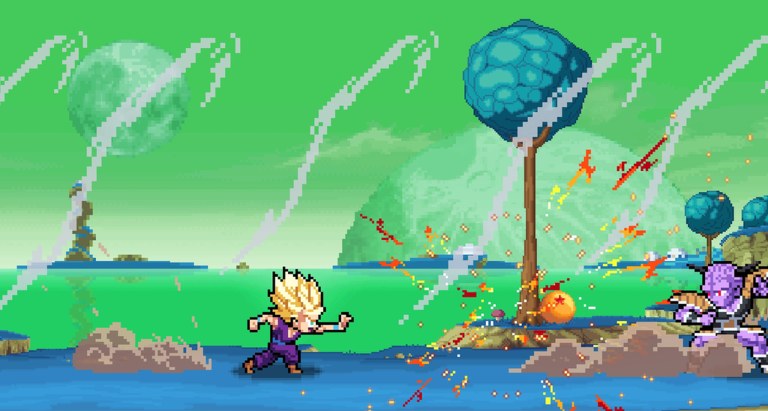
Booster packs are the main unlock engine in Pixel Z. The Roblox fighter from That One Fighting Game advertises 40+ fighters, skins updates, and a collectible loop that sits beside the online ELO ladder. Opening packs feels great. Opening them without a plan leaves you with a museum of characters you cannot pilot.
This guide covers what packs are for, how to spend early currency, how skins fit the economy, and how to connect pulls to real practice on Combos and ELO Ranked.
What booster packs give you
Depending on the current shop patch, packs typically feed one or more of:
- New fighters for the roster on the Players Hub.
- Skins / cosmetics for fighters you already own (the [SKINS!] branding is not subtle).
- Support currency or tickets that funnel into more opens.
Exact drop tables can change after updates—always re-check Updates after a skins patch. Do not trust month-old screenshots for pity math.
Day-one spending order
- Finish the tutorial mindset in Getting Started so you know whether you like rushdown, footsies, or bigger specials.
- Claim anything listed on Codes when drops exist (none widely confirmed yet in mid-November 2026).
- Open enough packs to secure one comfortable starter—see Best Starters.
- Stop opening blindly. Lab that fighter’s confirms before you chase the next shiny pull.
- Only then spend into a pocket counter-pick that covers a weakness (for example, a stronger anti-zoner tool).
Currency spent on a third incomplete main is currency not spent on mastery.
Skins vs strength
Skins keep the update cadence exciting and the shop alive. They do not replace fundamentals. A legendary skin on a fighter you cannot confirm with is still a loss on the Wins board. Treat cosmetics as a celebration of a main you already execute—not as a shortcut around Controls.
If a patch notes a skin bundle and a balance tweak together, read both. Players often buy the skin and miss the frame or ki change that actually matters in ranked.
Building a ranked-ready roster
A practical roster after two weeks looks like:
- Main: all-rounder or mild rushdown you can confirm half-asleep.
- Pocket: one archetype that answers your worst matchup.
- Lab toy: one experimental pull you only play in CPU or casual.
Map those picks against the Tier List. Tier lists shift, but the habit of “main first, toy later” does not.
Transform characters and pack value
Some unlocks matter more once you understand How to Transform. A fighter whose powered form fixes their neutral is worth more than a flashy idle animation. Before you dump currency into a transform-heavy character, confirm you can charge ki (H) and press T without panicking.
Resource management tips
- Bank currency before a announced skins update if you care about the new featured fighter.
- Avoid spending every coin the moment a match ends—emotion spending is as real as tilt queueing.
- Track which packs are fighter-weighted vs skin-weighted when the UI distinguishes them.
- If you use any third-party “free pack” site, stop. That is scam territory. Real rewards come from gameplay, codes, and official shop flows.
- Scripts that claim infinite packs are account risks—read Scripts for the warning label, not as a shopping list.
Connecting packs to practice
Every new fighter gets a 30-minute onboarding:
- Open Pause → List of Movements.
- Find light/medium/heavy confirm into special.
- Learn one dragon rush (E) convert.
- Learn one transform or ultimate ender.
- Take it to CPU, then one limited ranked block.
If you skip that pipeline, packs become clutter. If you follow it, packs become ladder fuel.
When to stop opening and start climbing
Stop opening when you already own a fighter that matches your goal for the week. Climbing with a “good enough” main teaches more than rolling for a theoretical S-tier. Return to packs after a patch, a code drop, or a clear roster hole identified from ranked notes.
Official discovery links stay on the Links Hub. The shop will still be there after you win two sets.
Open with intent. Lab what you pull. Climb with what you know.
Frequently Asked Questions
Quick answers for Pixel Z players.
Should I open every Pixel Z pack immediately?
Open enough to lock a starter, then slow down. Master one fighter before you turn currency into a graveyard of unlabbed characters.
Do skins make fighters stronger?
No. Skins are cosmetic. Strength comes from routes, defense, and meter decisions.
What should I buy first?
A comfortable all-rounder aligned with Best Starters and the tier list, then a single pocket counter-pick.
Can codes give pack currency?
When codes exist, they often grant currency or tickets. Check the Codes hub after updates.
Are pack drop rates posted?
They can change with patches. Prefer in-game UI and official update posts over old social screenshots.